Writing Architecture & patterns
Architecture Patterns Every Developer Should Know
This is Part 1 of 3: Part 1: Junior · Part 2: Middle · Part 3: Senior
Architecture patterns are often taught as a pile of buzzwords. In reality they build on each other, and they map surprisingly well onto how developers grow: juniors learn how an application is structured, mid-level developers learn how to connect and protect systems, and seniors learn the trade-offs and consequences of every choice.
This series walks through that map one level at a time, explaining every pattern from scratch with a diagram, an everyday analogy, when to use it, and what it costs. Part 1 covers the foundation: six patterns that describe how one application is organized and how it talks to the outside world. Every later pattern builds on these.
In this part
- Monolith
- Client-Server
- Layered Architecture
- Vertical Slice
- CRUD Architecture
- Request-Response
1. Monolith
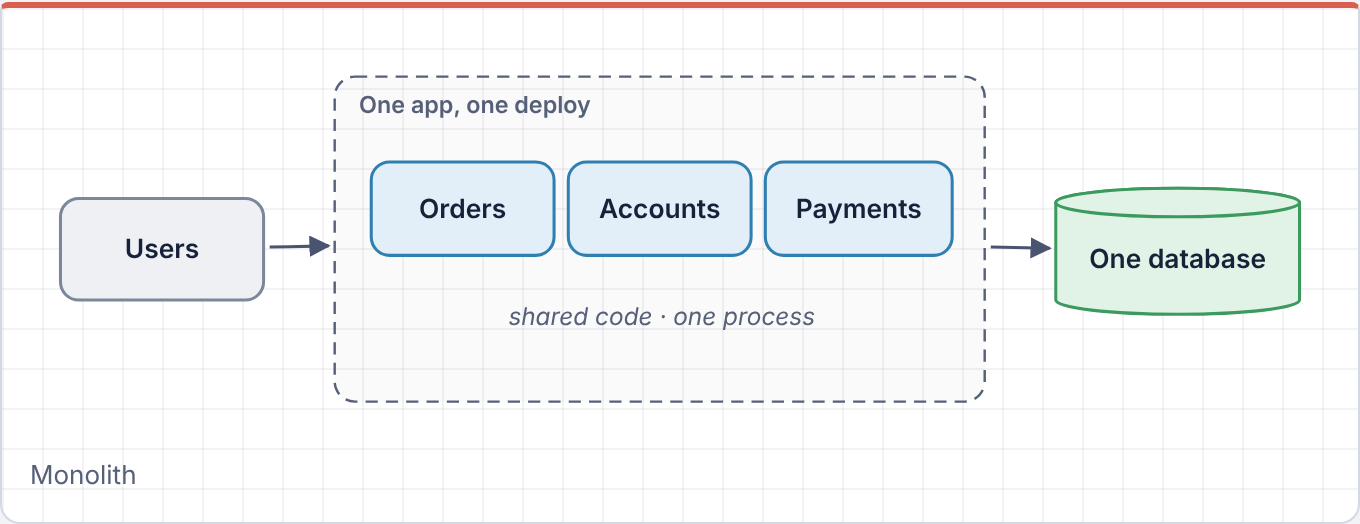
The whole application is built, deployed and run as one single unit.
How it works
All features (UI, business logic, data access) live in one codebase and run in one process. You build it once and deploy one thing. Parts of the app call each other with plain function calls and usually share one database.
Think of it like
One restaurant kitchen where every cook works in the same room.
Use it when
New products, small teams, and whenever speed and simplicity matter most. Most systems should start here.
Watch out for
As it grows, code can tangle into a “big ball of mud”, one bug can take everything down, and you must scale the whole app even if only one part is busy.
2. Client-Server
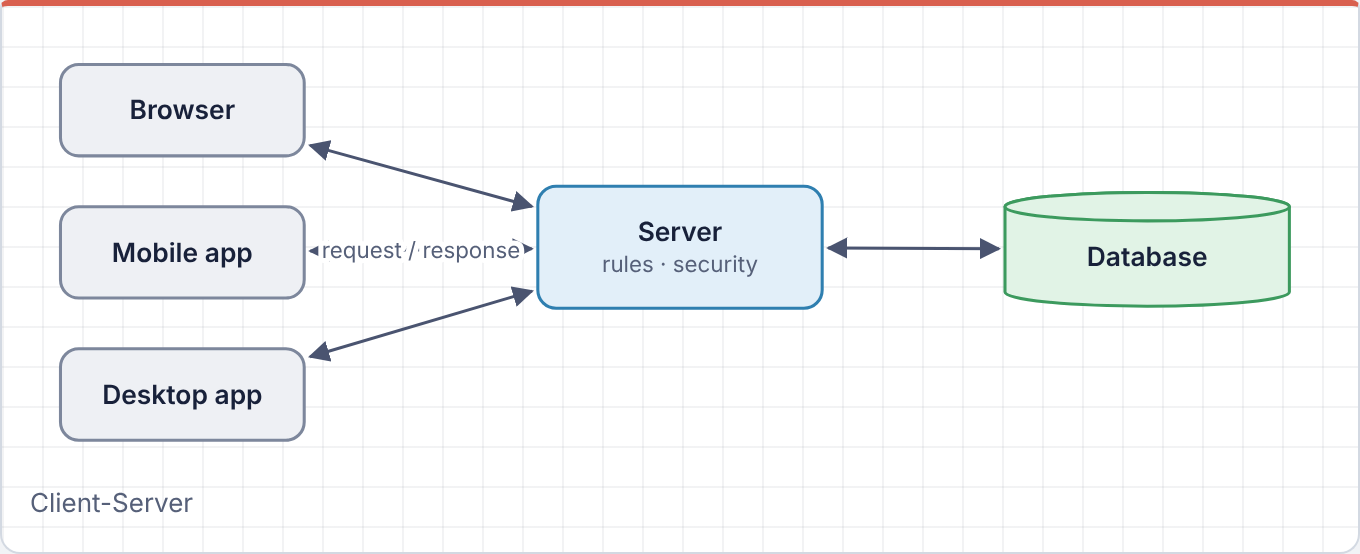
Clients ask for things; a central server does the work and keeps the data.
How it works
The client (browser, mobile app, desktop app) shows things to the user. The server holds the business rules, security and storage. They talk over a network, and many clients share the same server.
Think of it like
Customers order at a counter; the kitchen behind it prepares the food.
Use it when
Almost every web and mobile app. It keeps data and rules in one trusted place.
Watch out for
The server can become a bottleneck or a single point of failure. Never trust data from the client without validating it on the server.
3. Layered Architecture
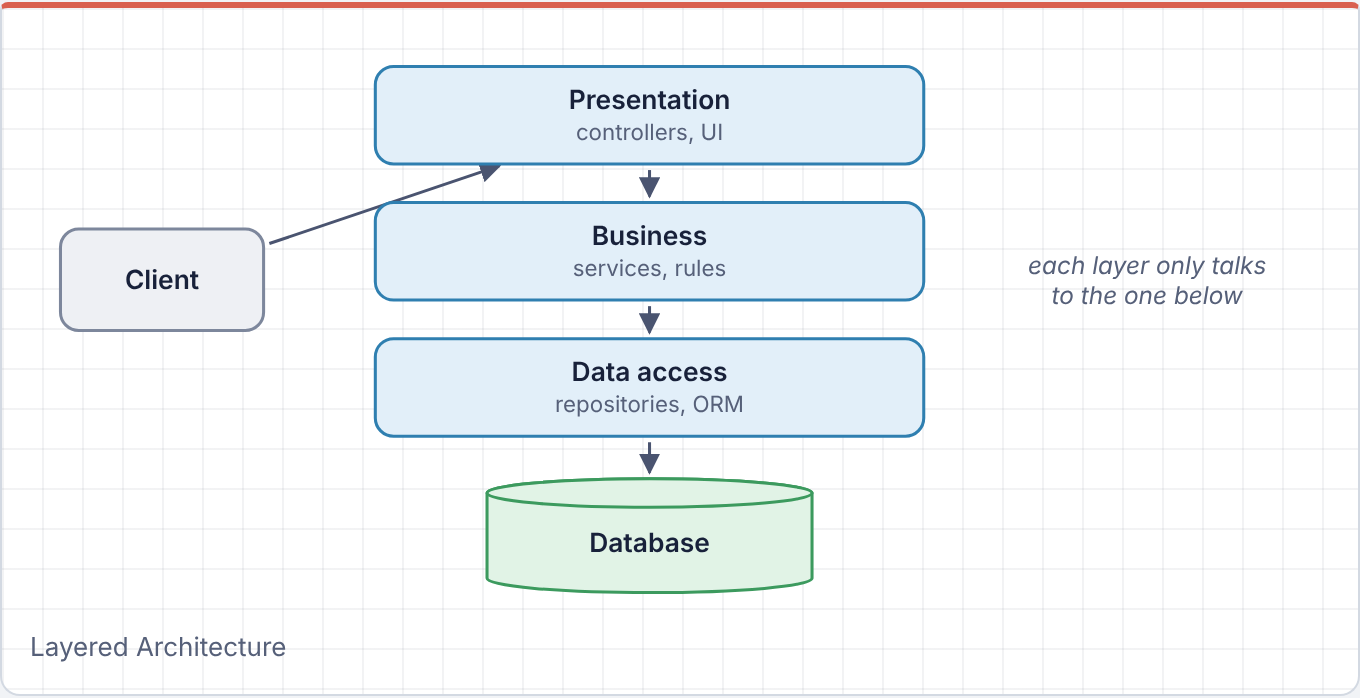
Split code into horizontal layers stacked on top of each other, each with one job.
How it works
Typical layers are Presentation (controllers, UI), Business (rules and use cases) and Data Access (repositories, ORM). A request travels down through the layers and the answer travels back up. Each layer only depends on the layer directly below it.
Think of it like
A company: reception takes your request, managers decide, the archive room fetches the files.
Use it when
Classic business apps. It’s easy to understand and it’s the default structure in many frameworks.
Watch out for
Even a tiny feature touches every layer, and you often get pass-through code that adds files but no value.
4. Vertical Slice
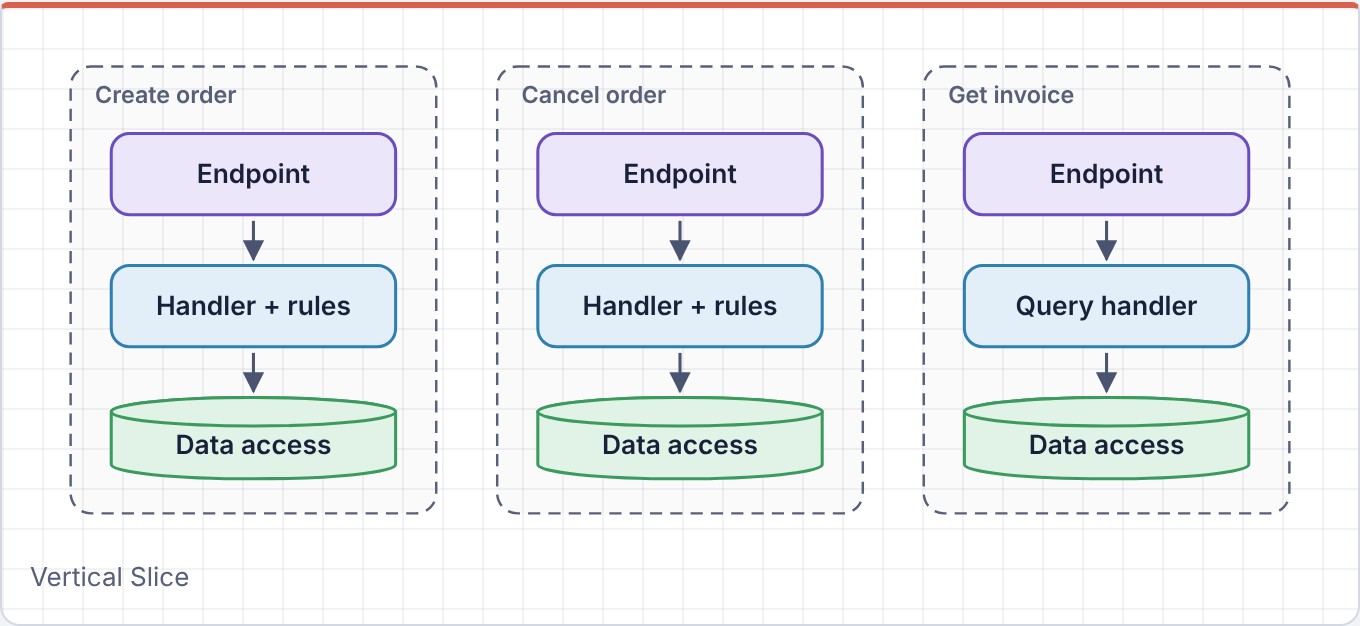
Organize code by feature instead of by technical layer.
How it works
Each feature, like “Create order” or “Cancel order”, is a slice that holds everything it needs: endpoint, handler, validation and data access. Changing a feature means touching one folder instead of five layers, and each slice can be built in whatever way suits it.
Think of it like
A slice of cake: you get every layer, but only for your piece.
Use it when
Apps with many fairly independent features. It pairs naturally with CQRS and MediatR-style handlers in .NET.
Watch out for
Code can get duplicated between slices, so you need judgment about what to share.
5. CRUD Architecture
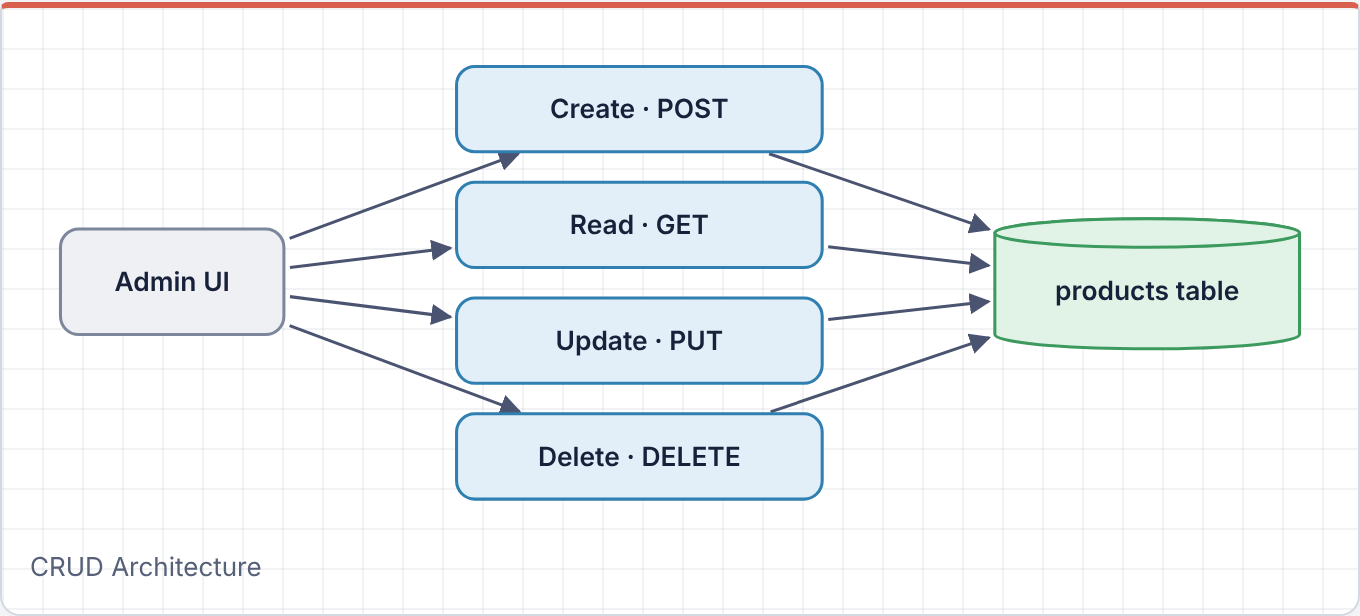
The app is mostly Create, Read, Update and Delete on data tables.
How it works
Each entity (product, customer) gets four operations that map almost one-to-one onto database actions and HTTP verbs: POST, GET, PUT/PATCH and DELETE. Very little business logic sits in between.
Think of it like
A digital filing cabinet: add a file, look one up, edit it, or throw it away.
Use it when
Admin panels, back-office tools and simple data-entry apps.
Watch out for
Real business actions like “approve order” or “ship parcel” get squeezed into a generic update, and logic leaks into the UI.
6. Request-Response
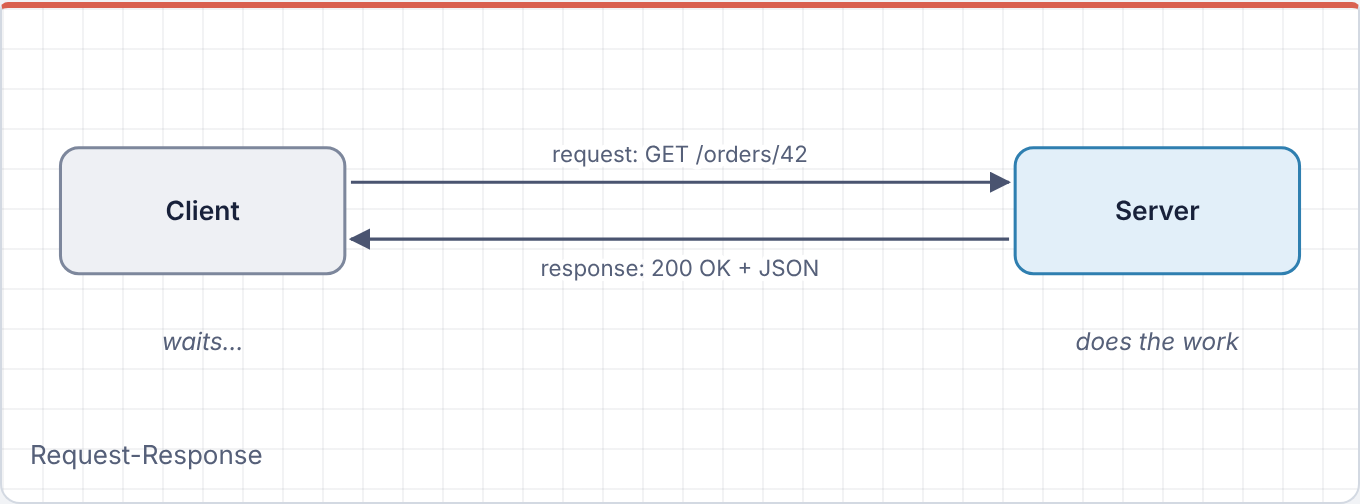
The caller sends a request and waits for the reply.
How it works
A synchronous conversation: the client sends a message such as GET /orders/42, the server processes it and returns a response with a status code and data. The caller is blocked until an answer arrives or a timeout hits.
Think of it like
A phone call: you ask a question and stay on the line until you hear the answer.
Use it when
When the user needs the answer right now: loading a page, fetching data, validating a form.
Watch out for
Long chains of synchronous calls are slow and fragile. If one service is down, everything waiting on it fails too.
Wrapping up
These six patterns are the vocabulary for everything that follows. A monolith with clean layers or slices, serving requests from clients, is how most successful products start, and many never need more.
Key takeaways
- Start simple: a well-structured monolith is a feature, not a failure.
- Layers organize code by technical role; vertical slices organize it by feature. Know both.
- CRUD is fine for data entry, but real business actions deserve their own names.
- Synchronous request-response is easy to reason about, but long chains of it are fragile.
Next up: Part 2, connect and protect systems.
More on architecture & patterns
Architecture Patterns Every Developer Should Know, Part 3: Senior8 min
Architecture Patterns Every Developer Should Know, Part 2: Middle8 min
Design Patterns Finally Made Sense When I Stopped Reading the Textbook4 min